Spotify Pre-Save: How to Make a Pre-Save Link That Works
Make a Spotify pre-save link with your distributor or a Countdown Page, pick the right timing, and share it from your bio and stories.
· 7 min read

A Spotify pre-save lets a fan save your next release before it comes out, so it lands in their library on release day without them having to remember. You make the link through your distributor (DistroKid's HyperFollow is free for every DistroKid artist) or, for albums and EPs once you have 3,000 monthly active listeners, through a Countdown Page in Spotify for Artists. Then you put that link in your bio and stories for the weeks before release.
What happens when a fan pre-saves
The fan taps your pre-save button before the release is out. Nothing plays yet. On release day, the work happens for them:
- With a Spotify Countdown Page: Spotify sends a push notification to everyone who pre-saved and adds the release to their library.
- With DistroKid's HyperFollow: anyone who pre-saves automatically follows you on Spotify and gets the album saved to their Spotify library when it goes live.
The save also turns into listening: Spotify says nearly 60% of people who pre-save an album stream it in the first week.
Pick the tool that matches your release
Most artists get their pre-save link from the company that distributes their music. Spotify's own Countdown Pages are better if you qualify, but the rules are strict.
| Option | Cost | Works for | Where to find it |
|---|---|---|---|
| Spotify Countdown Page | No fee listed by Spotify | New albums and EPs only, artists with 3,000+ monthly active listeners | Spotify for Artists: Music, then Upcoming |
| DistroKid HyperFollow | Free for DistroKid artists | Any DistroKid upload, singles included | Your DistroKid album page |
| CD Baby with Show.co | Free for CD Baby members | Spotify pre-save campaigns | CD Baby dashboard, Featured Tools |
| Feature.fm (TuneCore's partner) | Free plan with 1 pre-save service; paid plans from $8 a month | Spotify, Apple Music and Deezer | Smart Links / Pre-Save |
DistroKid HyperFollow
DistroKid makes a HyperFollow page automatically for every upload. The moment you finish uploading, the page can collect Spotify pre-saves, including fan email addresses, though DistroKid only hands you those emails on the Musician Plus and Ultimate plans.
- Upload your release to DistroKid with a future release date.
- Open the album page in DistroKid, or open the DistroKid Features Menu and choose Promote yourself.
- Copy your HyperFollow link.
When the release goes live, the same page updates itself with links to the other streaming services, and the link never changes. You can share it once and leave it in place.
One catch: choosing your own future release date on DistroKid requires Musician Plus ($44.99 a year) or Ultimate ($89.99 a year). The basic Musician plan is $24.99 a year.
CD Baby and TuneCore
CD Baby says Show.co is free for CD Baby members. Open it from the Featured Tools section of your dashboard by clicking Marketing Tools with Show.co, then set up a Spotify pre-save campaign.
TuneCore sends artists to Feature.fm for pre-save links. In Feature.fm, open the Smart Links / Pre-Save tab and choose Pre-Release / Pre-Save, then fill in your release details. Feature.fm's free plan covers one pre-save service; adding more, such as Apple Music next to Spotify, means a paid plan.
Use Spotify's Countdown Page if you qualify
A Countdown Page is Spotify's own pre-save. Fans can pre-save, preview the tracklist, watch countdown videos and shop merch, and the page shows up on your artist profile, in Search, on Home and in the Upcoming Releases hub. You don't have to send anyone off Spotify.
Spotify's requirements, from its Spotify for Artists help page:
- At least 3,000 monthly active listeners. Check this under Audience, then Segments. It is not the same number as monthly listeners.
- A new, original album or EP. Singles, deluxe editions, anniversary editions, remasters and compilations don't qualify.
- Your label or distributor must deliver the finished release to Spotify. If there are several main artists, only the first-named one can make the page.
To create it, as an Admin or Editor on your Spotify for Artists team:
- Log in at artists.spotify.com.
- Go to Music, then Upcoming.
- Select the release and click Get started.
- Add countdown videos and tag merch.
- Review and publish.
The option appears within 72 hours of your distributor delivering the release. Once it is live, Spotify suggests sharing it on your socials and setting it as your Artist Pick. You can track pre-saves under Upcoming, then View Analytics. The full requirements are on Spotify's Countdown Pages help page.
Releasing a single, or below 3,000 monthly active listeners? Use your distributor's link instead.
Apple Music fans get a pre-add
Apple Music's version is called a pre-add. Fans add the upcoming release to their library or playlists, and Apple notifies them the moment it is out. Independent artists set it up through their distributor.
DistroKid notes the main requirement: pre-add only works for EPs and albums where at least one track is opted into Instant Gratification, so fans can listen to that song before the rest is out. A lone single can't get a pre-add.
Give it at least four weeks
The link is only useful if people have time to see it. Two numbers set the timeline:
- DistroKid recommends a release date at least four weeks ahead if you need the music to launch on a specific date everywhere.
- Spotify asks for music to be delivered at least 7 days before release so editors have time to listen, and an unreleased song pitched 7 days ahead goes into your followers' Release Radar.
So upload at least four weeks out, grab the pre-save link as soon as it exists, and start sharing it that week. Every week you wait is a week of posts without a link.
Share it where fans will tap it
A pre-save link spread across one post and then forgotten does little. Put it in the places people check repeatedly:
- Your Instagram bio. Tap Edit profile, then Links, then Add external link. Instagram allows up to 5 links, so add the pre-save and put it at the top of the list. Our Instagram music promotion guide covers what to post around it.
- Your stories. Share a clip, tap Stickers at the top and choose Link, then paste your pre-save URL. Anyone watching can tap straight through. Very new accounts don't get the link sticker yet. The step by step is in our guide to adding a link to an Instagram story.
- Your TikTok and YouTube bios, and every caption that mentions the release.
Post the link more than once: when you announce, when you share a snippet, and the day before release.
Keep the pre-save on a link page next to your music
Your bio has room for one link that people actually tap, and you have more than one thing to share: the pre-save, the last single, a tour date, merch. A link page holds all of it behind one link, with the pre-save at the top.
With Olaa, the free plan gives you a page at olaa.im/yourname with unlimited links and music players that play on the page, for Spotify, Apple Music and SoundCloud as well as YouTube, Vimeo and TikTok. A fan can hear your current single without leaving, then tap the pre-save button above it. On release day, swap the pre-save for the new track's player and the bio link stays the same.
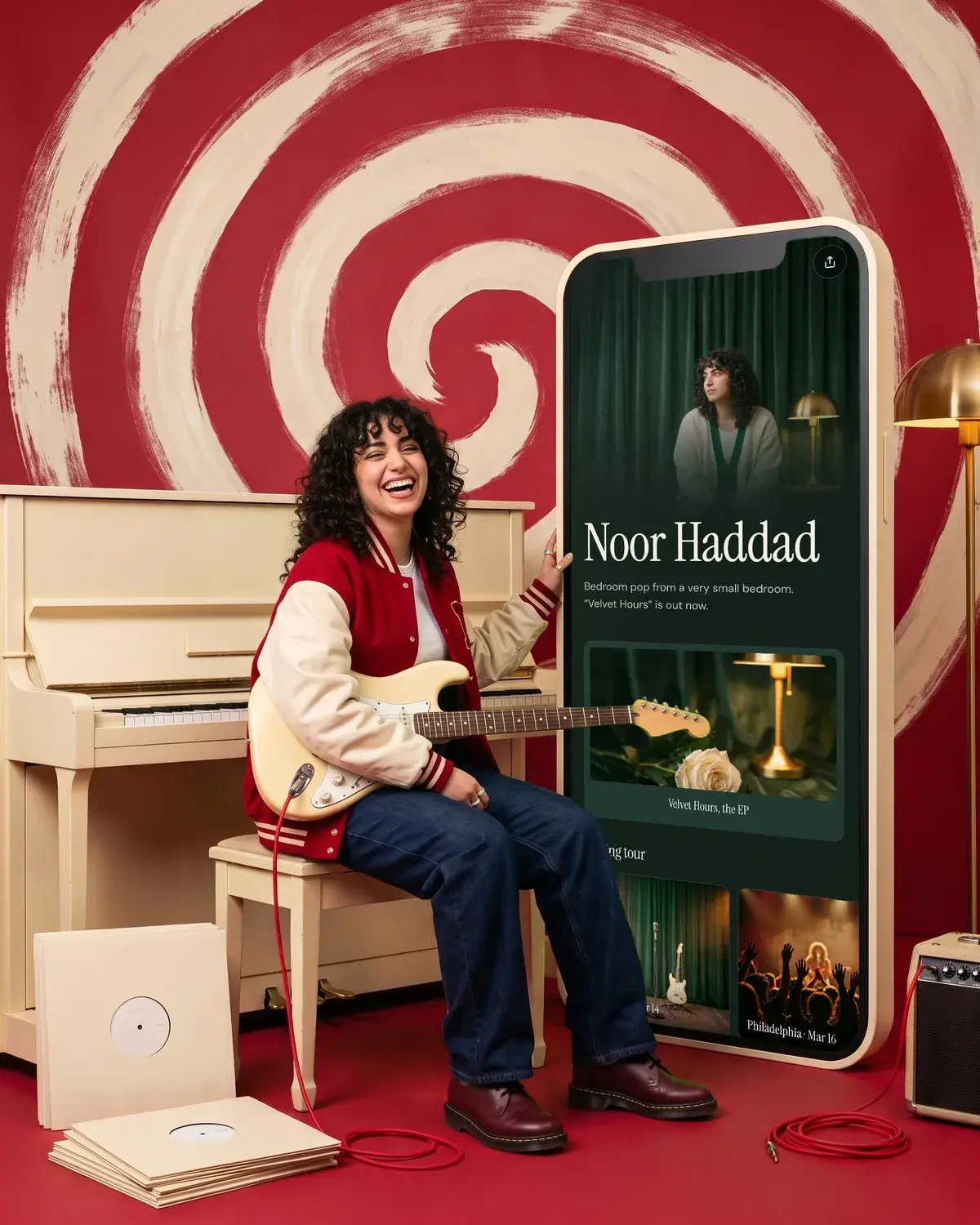
Olaa Pro ($8 a month or $72 a year) adds a countdown and scheduled links, so the page can count down to release day. See how a songwriter's page comes together in the Noor demo, or read more on Olaa for musicians.
FAQ
Is a Spotify pre-save free?
Usually, yes. DistroKid's HyperFollow is free for DistroKid artists, CD Baby says Show.co is free for its members, Feature.fm has a free plan for one pre-save service, and Spotify lists no fee for Countdown Pages. You still pay your distributor's normal plan price.
Can I make a pre-save link for a single?
Yes, through your distributor. DistroKid creates a HyperFollow page for every upload, singles included. Spotify's Countdown Pages only accept new albums and EPs.
Why don't I see the Countdown Page option in Spotify for Artists?
Check three things: you have at least 3,000 monthly active listeners under Audience, then Segments, the release is a new album or EP, and your distributor has delivered it. The option can take up to 72 hours to appear after delivery.
How far ahead should I set up a pre-save?
Aim for at least four weeks. DistroKid recommends a release date at least four weeks out, and that window also gives you several weeks of posts to share the link.
What happens to the pre-save link after release day?
A HyperFollow link keeps working and turns into a page with links to the streaming services, so you don't have to update old posts. A Countdown Page sends a push notification to everyone who pre-saved and adds the release to their library.